1. Editing sip.conf
Adding SIP client of Asterisk Server
[test]
type=friend
username=test
secret=password_test
host=dynamic
context=tutorial
[eddy]
type=friend
username=eddy
secret=password_eddy
host=dynamic
context=tutorial
2. Editing extensions.conf
Attaching Dial numbers to SIP Client
[tutorial]
exten => 4321,1,Dial(SIP/test)
exten => 8888,1,Dial(SIP/eddy)
3. Editing iax.conf
[test_iax]
type=friend
username=test_iax
secret=test
host=dynamic
context=tutorial
All configuration files in /etc/asterisk. Don't forget to restart asterisk server after the changes.
Sunday, September 19, 2010

Installing PSTN Server!
1. Download Asterisk latest version from http://www.asterisk.org/.
2. Gently follow the Asterisk Installation Guide.
After correct installation you should see
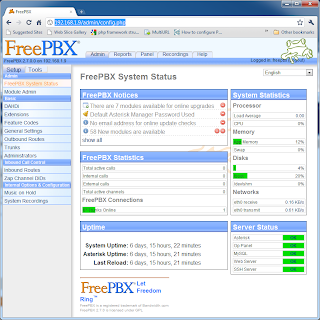
This is the Asterisk Public Telephone Server's Control Panel!
2. Gently follow the Asterisk Installation Guide.
After correct installation you should see

This is the Asterisk Public Telephone Server's Control Panel!
Subscribe to:
Posts (Atom)